
Console, billing and limits
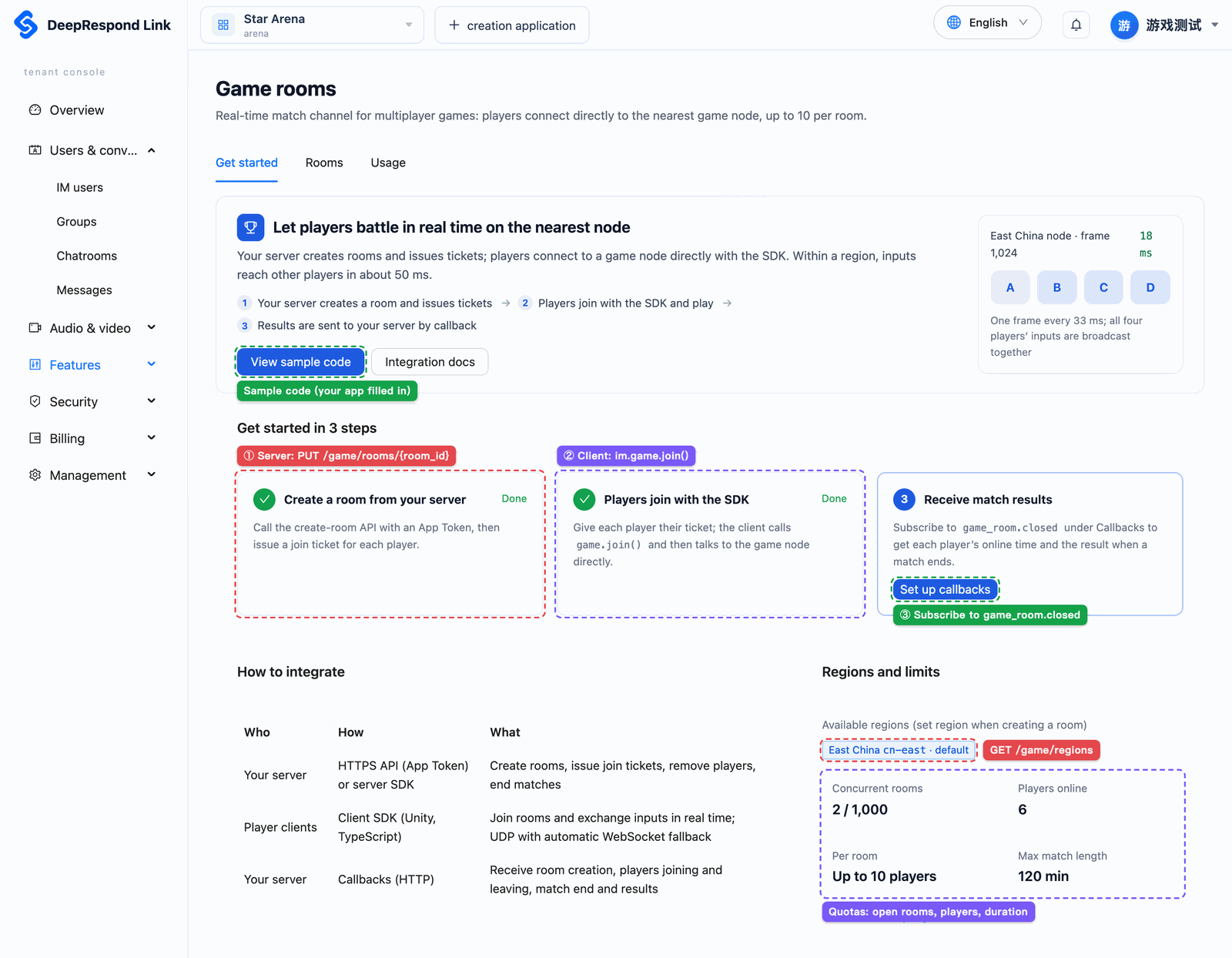
Open an app in the tenant console; the "Game rooms" page in the left menu has three tabs: "Integration" shows whether the feature is enabled and the integration steps, "Rooms" lists and ends rooms, and "Usage" shows player time per day. This page also explains billing and all limits.
Labels in the screenshots below: red is the matching server API, purple is console behavior, green is where to click.
Enabling
When you open the "Game rooms" page, the console checks whether your app can use the feature:
| What you see | Why | What to do |
|---|---|---|
| The normal "Integration" tab | Ready to use | Follow the three integration steps on the page |
| Your plan does not include game rooms | The plan lacks the "Game rooms" feature | Click "View plans" and upgrade to a plan that includes it |
| Game rooms are not open yet | The platform has not opened game rooms | Contact support |
| Game rooms have been disabled for this app | The platform disabled them for this app | Contact support |
| The app is currently unavailable | The app is suspended or has overdue payments | Fix the app's status and come back |
| No game region is available | The platform is deploying game nodes | Refresh later |
The "Rooms" and "Usage" tabs appear only when the feature is usable.
Integration
The "Integration" tab shows:
- Available regions: regions you can create rooms in; the one marked "Default" is used when no region is given;
- Quotas: concurrent rooms, players per room and maximum match duration;
- Current usage: rooms in progress and players online;
- Three integration steps and their status: ① your server has created a room; ② a player has connected to a game node; ③ an enabled callback URL subscribes to
game_room.closed. Once all three are done the guide can be collapsed; - Sample code: server and client samples with your app and default region filled in.
View and end rooms
The "Rooms" tab lists rooms under "In progress", "Ended" and "All", and you can search by a prefix of the room ID or name. "Details" shows the room's settings, the seated members (online status, connection type, latency, online time) and why it ended; rooms in progress refresh automatically.
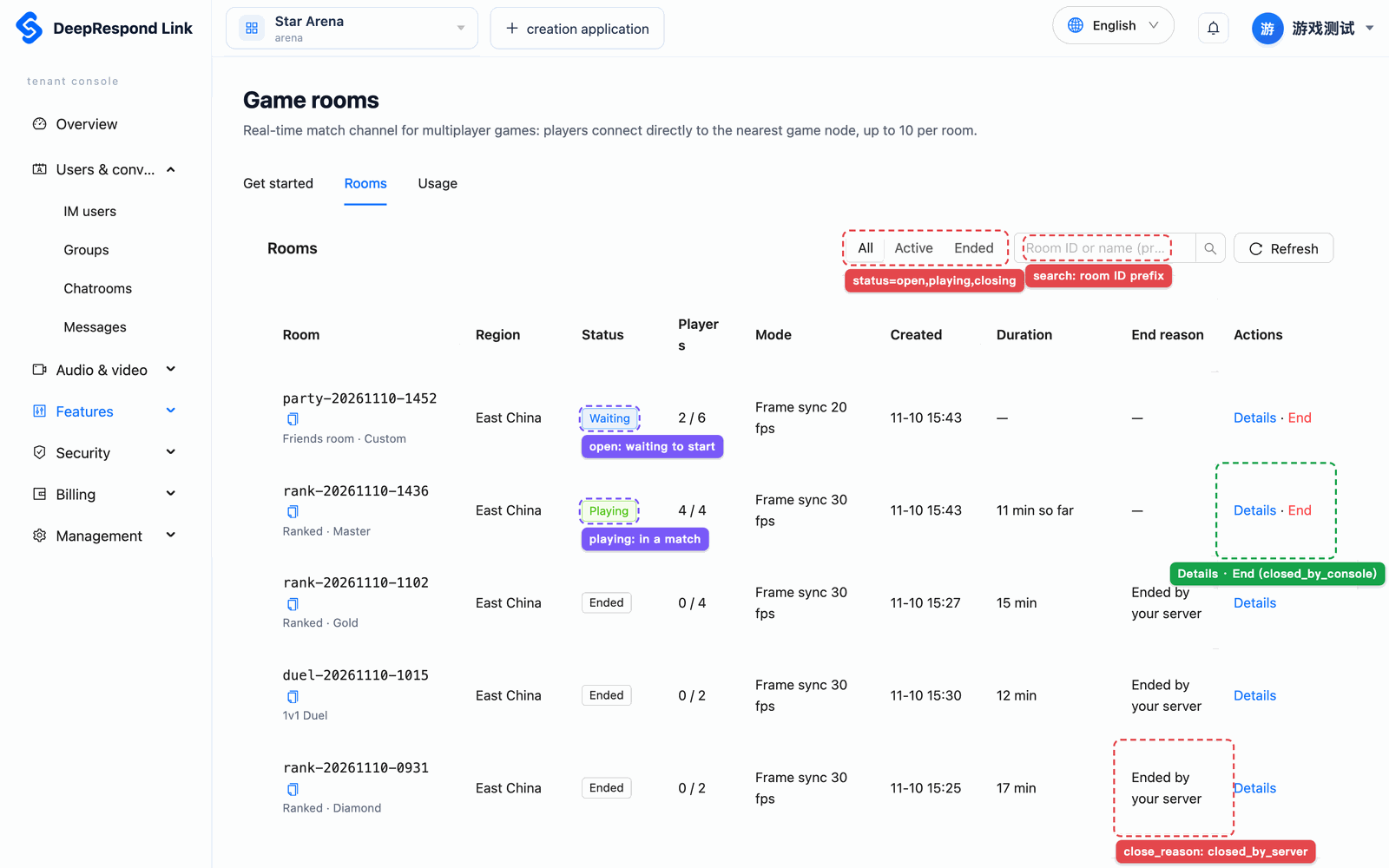
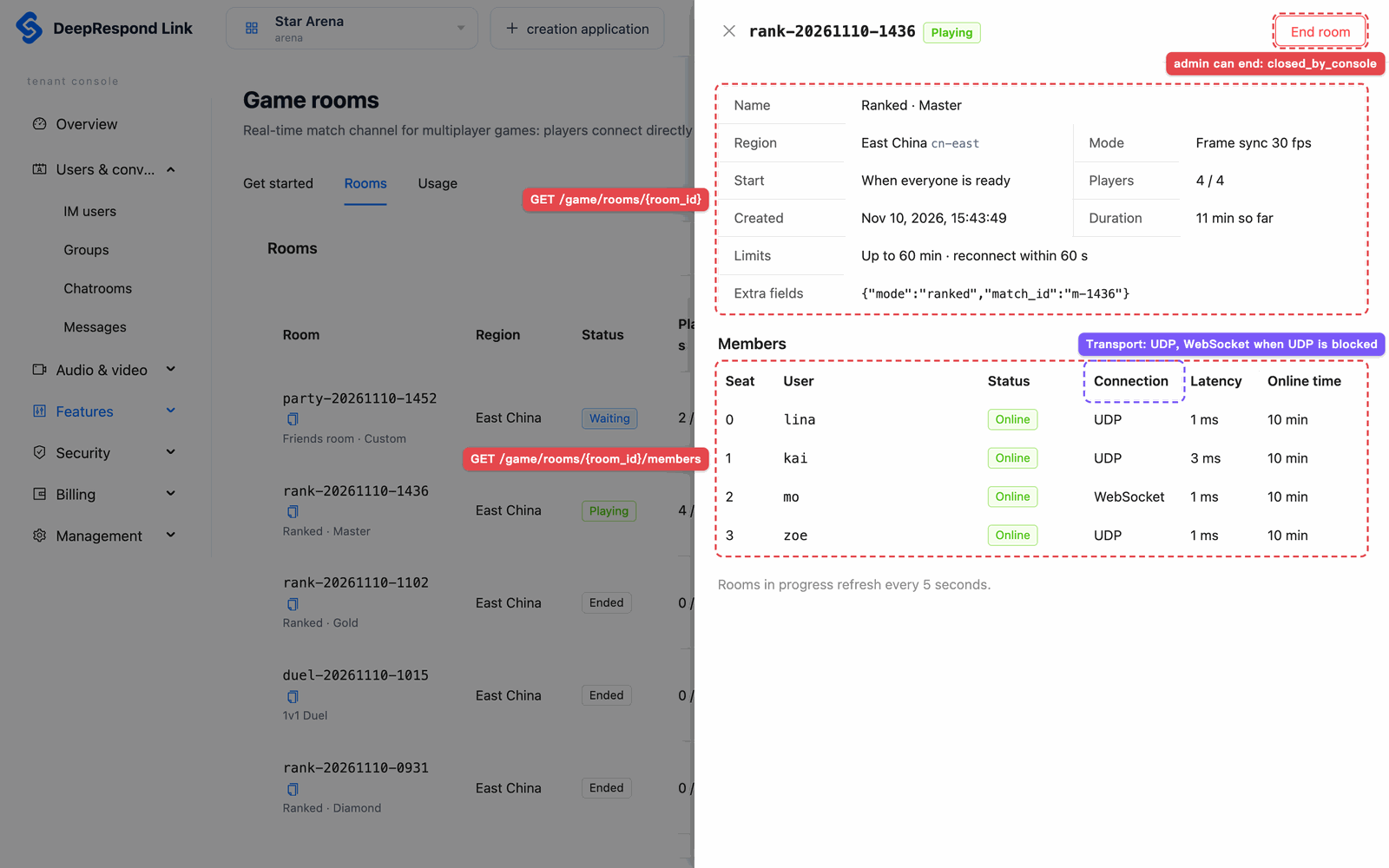
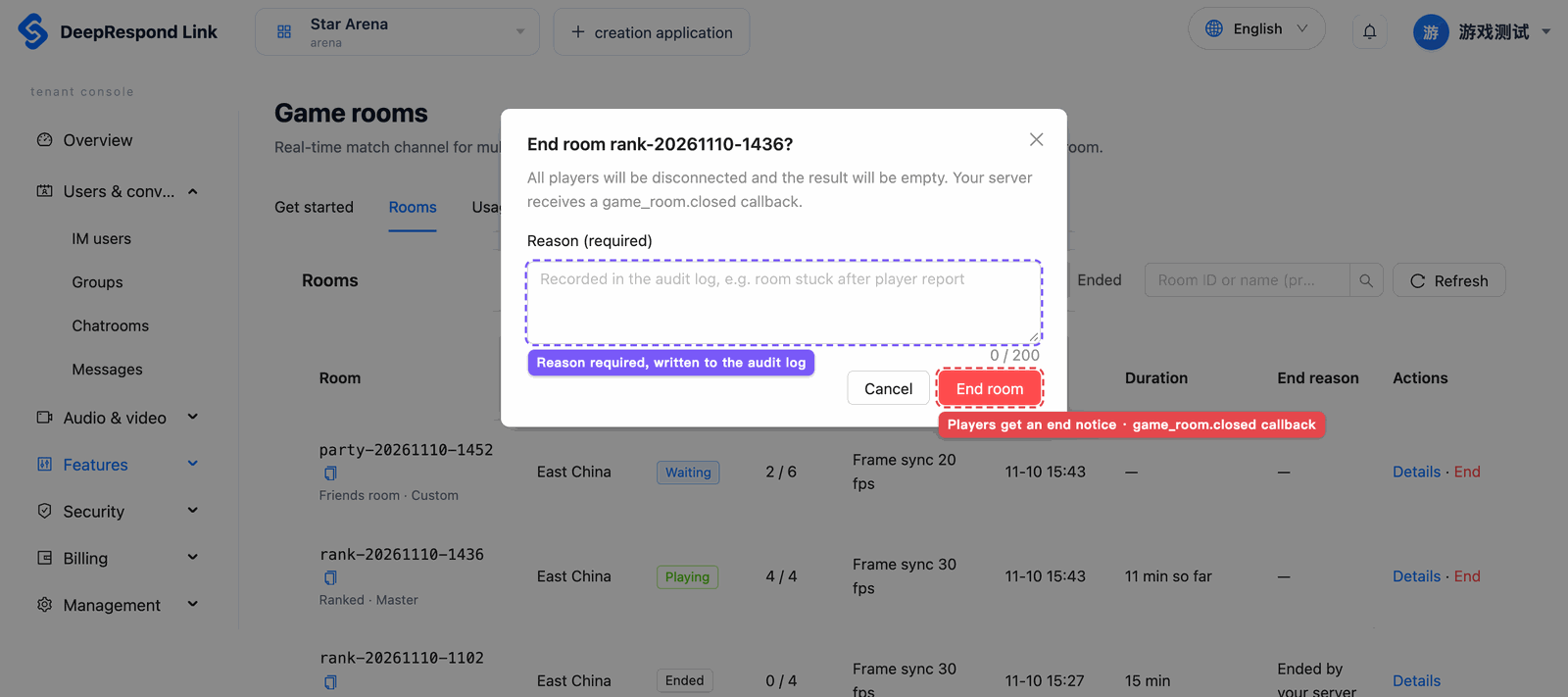
Members with the admin role or above can end rooms in progress: after entering a reason and re-verifying their identity, the room ends with closed_by_console, players receive the end notice and your server receives game_room.closed (with result null). developer can only view. The console cannot remove individual players; use the server API for that.
Usage
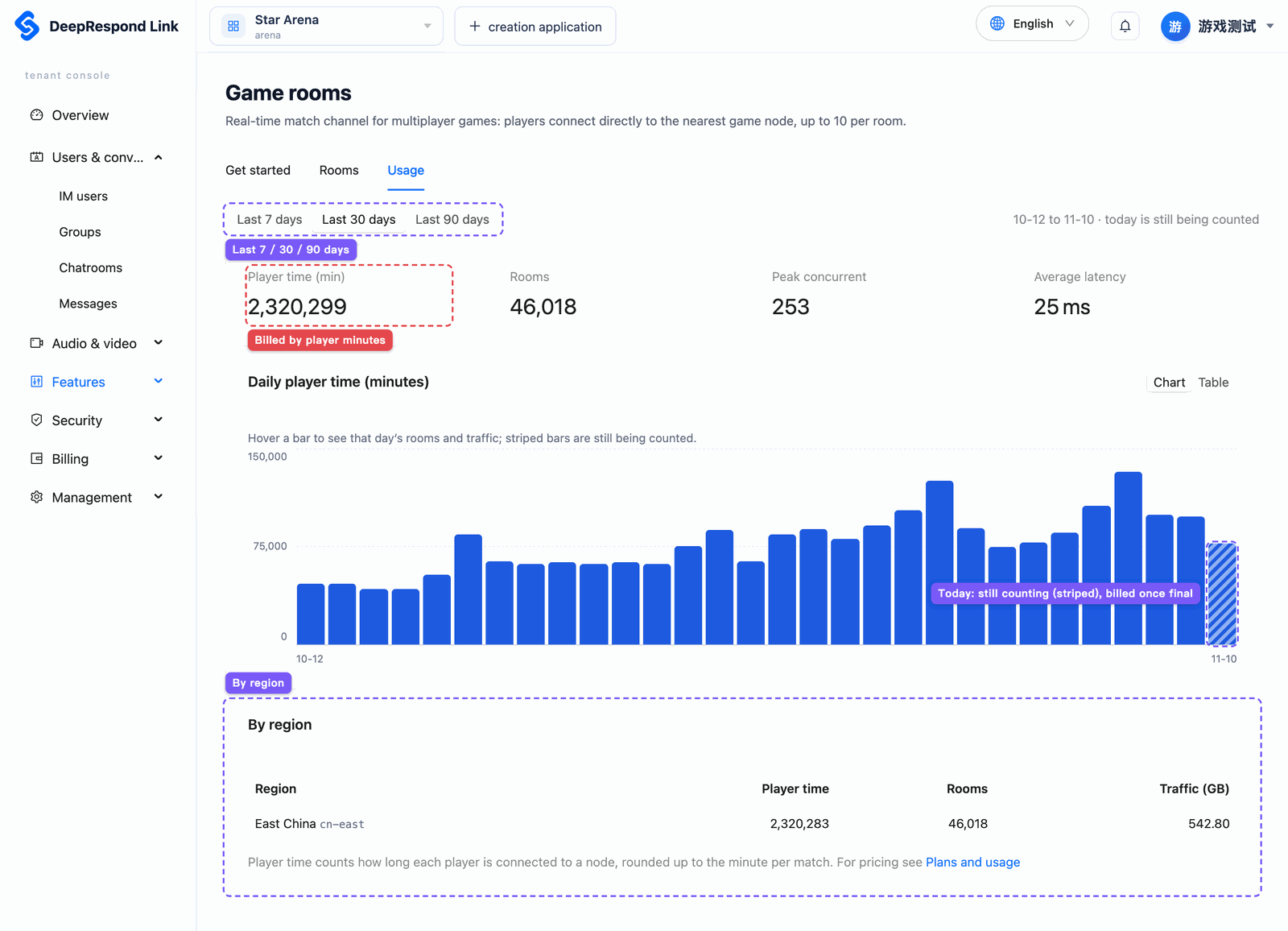
The "Usage" tab shows, per day over the last 7, 30 or 90 days:
| Metric | Description |
|---|---|
| Player time | Total time all players were connected to game nodes (minutes), the basis for billing |
| Rooms | Rooms started that day |
| Peak concurrent | The highest number of rooms in a match at the same time that day |
| Average latency | Average round-trip time weighted by online time |
| Traffic | Traffic between players and game nodes (GB) |
You can break it down by region. Today's data, and yesterday's until 1 a.m., are still being counted and are shown hatched; after that they are final.
Billing
| Item | Rule |
|---|---|
| Unit | Player minutes: the time each player is connected to a game node. Time holding a seat without connecting, and time while disconnected, are not counted |
| Daily total | Per app per day: the online milliseconds of all players in all regions are added up, then rounded up to minutes |
| Price | According to your plan, see "Plans and usage" in the console |
| Traffic | Recorded only; not billed at the moment |
| Finalization | The previous day's usage is finalized after 1 a.m. and then billed |
For example, a 4-player match lasting 20 minutes 30 seconds with everyone online throughout counts 4 × 20.5 = 82 player minutes.
billable_minutes for each player in the game_room.closed callback is that player's time in the match rounded up to minutes, for timing players and reconciliation; the bill sums per day before rounding, so adding up matches can come out slightly higher than the bill.
Limits
| Item | Limit |
|---|---|
| Players per room | 10 |
| Concurrent rooms (per app) | Set by the platform, see the quotas on the "Integration" tab; beyond it creating a room returns open_rooms |
| Maximum match duration | 3600 seconds by default; settable from 60 seconds up to the platform limit (see the "Integration" tab) |
| Reconnect window | 0–300 seconds, default 60 |
| Join tickets | Up to 10 users per request, valid 30–600 seconds, default 120 |
| Connecting after getting a seat | Within 60 seconds, otherwise the player leaves with connect_timeout |
| Empty room | When everyone has left or dropped, the room ends automatically 60 seconds after the reconnect window |
ext / result | 2KB / 4KB |
Per-frame input sendInput | 128 bytes; per seat at most twice the frame rate per second |
Custom messages sendCustom | 1KB; per seat 60 messages and 32KB per second |
Snapshots putSnapshot | 64KB; no more often than half the room's interval |
| Frame rate | 10, 15, 20, 30, 60 |
Inputs and custom messages beyond the rate are dropped by the game node; a player who stays over the limit for 10 seconds in a row is removed from the room.
Related documents
- Game rooms overview, quick start
- Callback settings: add callback URLs and subscribe to
game_room.*events - Plans and bills