
Quick start: your first match
This guide runs a two-player match in two browser windows: your server creates a room and issues tickets, alice and bob join in the Web client, get ready and see each other's inputs, and finally your server ends the room and receives the result callback. Concepts and rules are in the game rooms overview.
1. Check that the feature is enabled
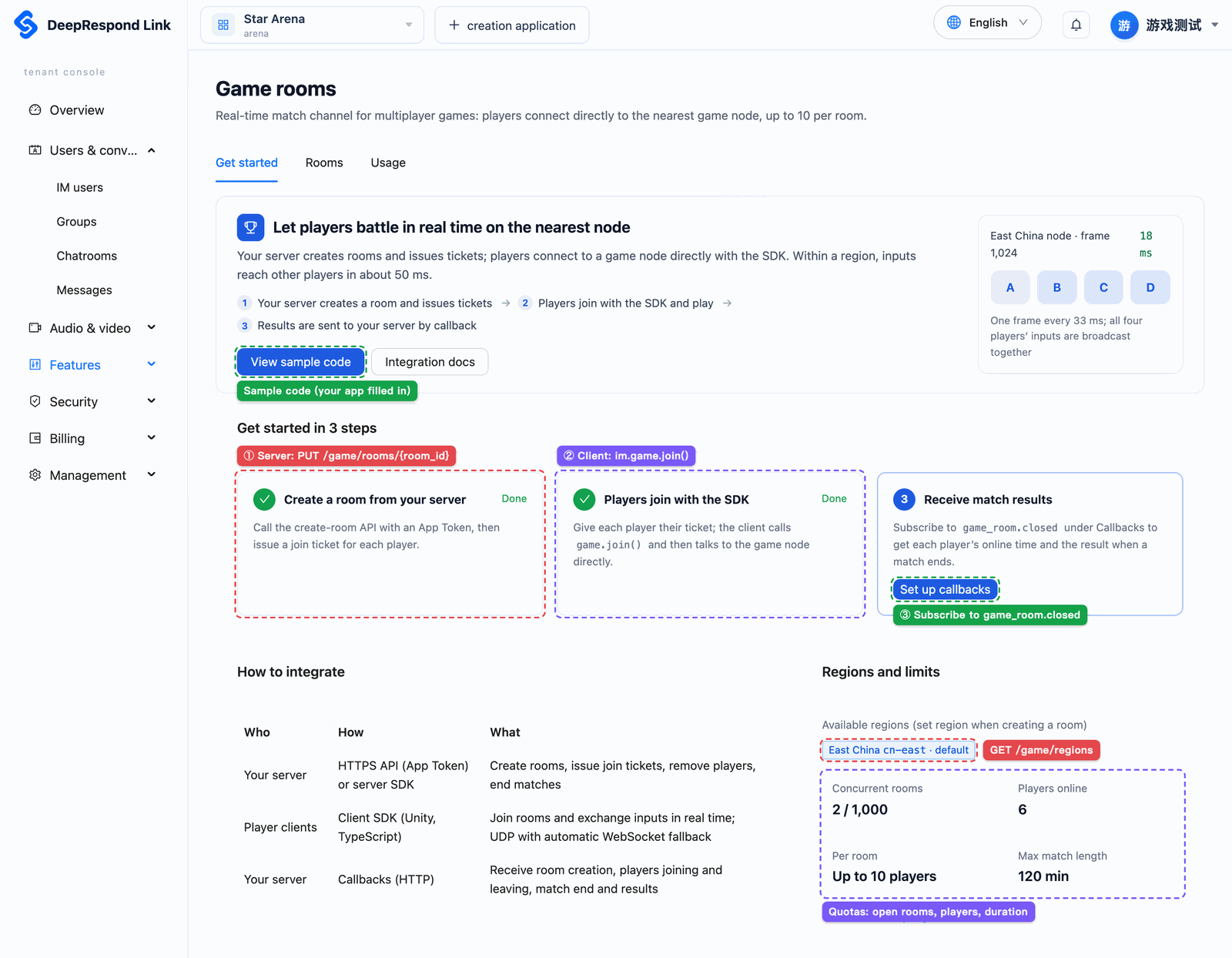
Pick the tenant and app in the console and open the app's "Game rooms" page. If you see the "Integration" tab and available regions, you are ready; if you see notices such as "Your plan does not include game rooms" or "Game rooms are not open yet", follow enabling.
Getting an App Token, creating users and getting login tickets work as in sending your first message. $IM_API, $ORG, $APP and $APP_TOKEN below are explained in the server overview.
2. Create a room
On your server, run:
curl -X PUT "$IM_API/$ORG/$APP/game/rooms/demo-match-1" \
  -H "Authorization: Bearer $APP_TOKEN" -H "Content-Type: application/json" \
  -d '{"name":"第一局","max_players":2,"start_mode":"all_ready","tick_rate":20}'
It returns 201 with the room; room.status is open and room.region is the region it was placed in. All room parameters are in create a room.
3. Issue join tickets
Assuming alice and bob are already users of this app:
curl -X POST "$IM_API/$ORG/$APP/game/rooms/demo-match-1/tickets" \
  -H "Authorization: Bearer $APP_TOKEN" -H "Content-Type: application/json" \
  -d '{"users":[{"username":"alice","seat":0},{"username":"bob","seat":1}],"ttl_seconds":120}'
The tickets in the response hold one ticket per user. Hand each one to alice and bob through your own authenticated business API; do not give it to anyone else or write it to logs. A ticket is valid for 120 seconds; if it expires or gets lost, simply issue a new one.
4. Players join and play
First install @deeprespond/im-web (1.1.0 or later) and sign in as in the Web quick start. Run the code below once in alice's page and once in bob's; ticketFromBusinessServer is the ticket handed to that player in step 3:
const room = await im.game.join('demo-match-1', { ticket: ticketFromBusinessServer });
console.log('我的座位', room.seat, '成员', room.members);

// 每一帧:按帧号顺序收到所有座位这一帧的操作
room.onFrame((frame) => {
  for (const input of frame.inputs) {
    console.log(`第 ${frame.frame} 帧,座位 ${input.seat}:`, input.data);
  }
});
room.onRoomState((e) => {
  if (e.state === 'started') console.log('开局,从第', e.startFrame, '帧开始');
});
room.onClose((e) => console.log('对局结束', e.reason, e.result));

// 两个人都准备后开局(start_mode 为 all_ready)
room.ready();

// 开局后每帧发送本地操作(这里用一个字节代表按键)
setInterval(() => room.sendInput(new Uint8Array([room.seat === 0 ? 1 : 2])), 50);
When both pages are ready, the console prints the start message, and after that every frame shows both players' inputs. Turn off the network of one page and turn it back on: it reconnects automatically to its seat and the missing frames are filled in, in order.
5. End the match
On your server, run:
curl -X POST "$IM_API/$ORG/$APP/game/rooms/demo-match-1/close" \
  -H "Authorization: Bearer $APP_TOKEN" -H "Content-Type: application/json" \
  -d '{"reason":"对局结束","result":{"winner":"alice"}}'
It returns 202. onClose on both pages receives reason room_closed and result { winner: 'alice' }; the SDK does not reconnect.
6. Receive the result callback
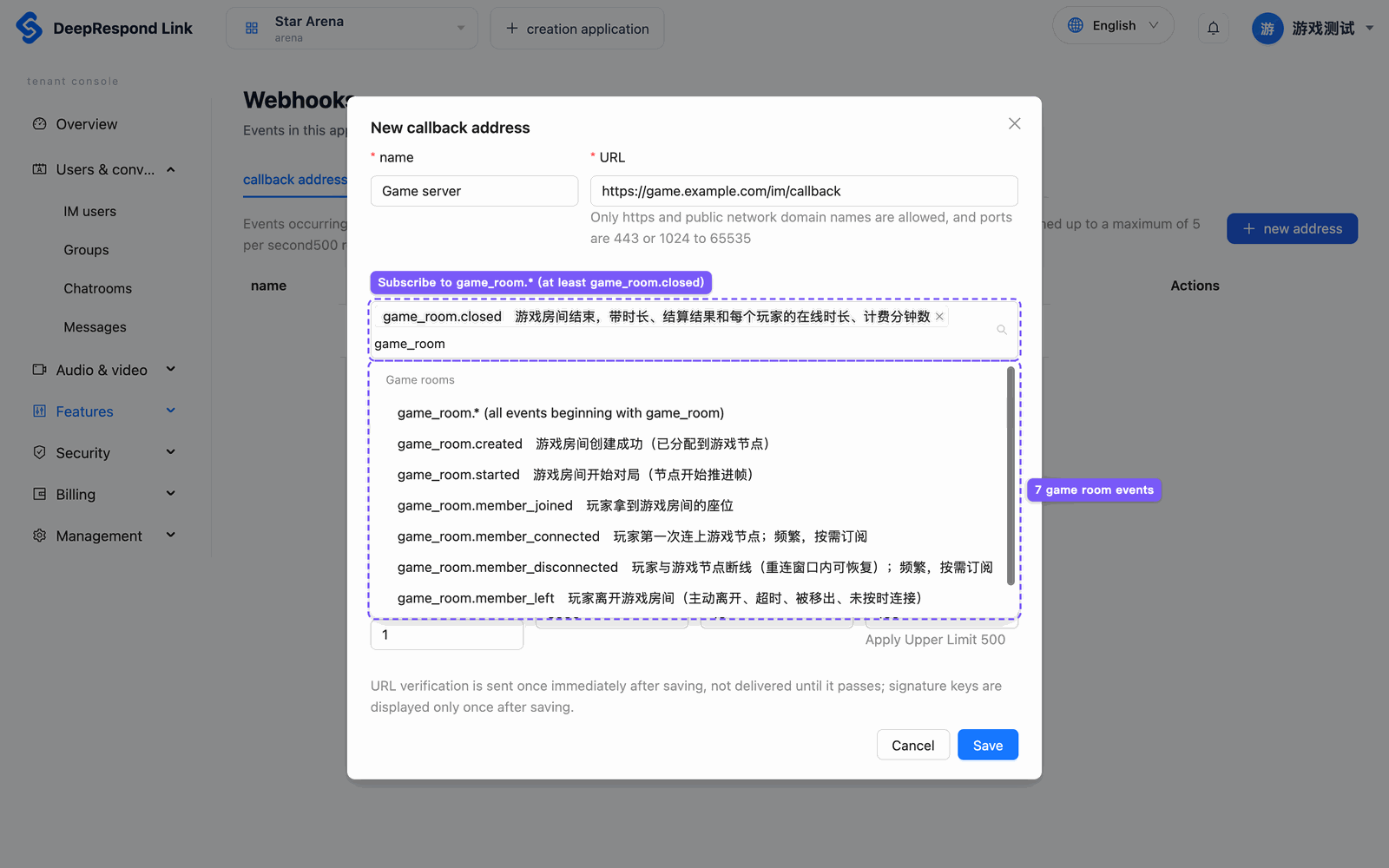
Add your callback URL on the console's "Callbacks" page and subscribe to game_room.closed. Within a few seconds after the room ends you receive an event like this (main fields only):
{
  "type": "game_room.closed",
  "data": {
    "room_id": "demo-match-1",
    "close_reason": "closed_by_server",
    "duration_ms": 95000,
    "result": { "winner": "alice" },
    "members": [
      { "username": "alice", "seat": 0, "connected_ms": 98000, "billable_minutes": 2, "leave_reason": "room_closed" },
      { "username": "bob", "seat": 1, "connected_ms": 97000, "billable_minutes": 2, "leave_reason": "room_closed" }
    ]
  }
}
Signature verification, deduplication and retries are in the callback overview; all game events are in callback events.
If joining fails
Look at the category from im.game.errorKind(err) first, then check in this order:
| Category | Check first |
|---|---|
game_disabled | Whether the plan includes game rooms, whether the platform has opened them, whether your app was disabled individually |
ticket_invalid | Whether the ticket went to the right user, whether it expired or was already used; have your server issue a new one |
room_closed | Whether the room ID is right and whether the room has ended |
room_full, joined_on_other_device | Whether all seats are taken, whether this user already joined on another device |
node_unavailable, network | Retry later; if it still fails, note the error code and request ID and contact us |
The full error table is in Web client.